Deprecated: optional(): Implicitly marking parameter $callback as nullable is deprecated, the explicit nullable type must be used instead in /www/wwwroot/progenyivf.ocry.com/vendor/illuminate/support/helpers.php on line 190

Deprecated: with(): Implicitly marking parameter $callback as nullable is deprecated, the explicit nullable type must be used instead in /www/wwwroot/progenyivf.ocry.com/vendor/illuminate/support/helpers.php on line 430

Deprecated: Jenssegers\Blade\Blade::__construct(): Implicitly marking parameter $container as nullable is deprecated, the explicit nullable type must be used instead in /www/wwwroot/progenyivf.ocry.com/vendor/jenssegers/blade/src/Blade.php on line 34

Deprecated: Illuminate\Container\Container::beforeResolving(): Implicitly marking parameter $callback as nullable is deprecated, the explicit nullable type must be used instead in /www/wwwroot/progenyivf.ocry.com/vendor/illuminate/container/Container.php on line 1151

Deprecated: Illuminate\Container\Container::resolving(): Implicitly marking parameter $callback as nullable is deprecated, the explicit nullable type must be used instead in /www/wwwroot/progenyivf.ocry.com/vendor/illuminate/container/Container.php on line 1171

Deprecated: Illuminate\Container\Container::afterResolving(): Implicitly marking parameter $callback as nullable is deprecated, the explicit nullable type must be used instead in /www/wwwroot/progenyivf.ocry.com/vendor/illuminate/container/Container.php on line 1191

Deprecated: Illuminate\Container\Container::setInstance(): Implicitly marking parameter $container as nullable is deprecated, the explicit nullable type must be used instead in /www/wwwroot/progenyivf.ocry.com/vendor/illuminate/container/Container.php on line 1430

Deprecated: Illuminate\Contracts\Container\Container::beforeResolving(): Implicitly marking parameter $callback as nullable is deprecated, the explicit nullable type must be used instead in /www/wwwroot/progenyivf.ocry.com/vendor/illuminate/contracts/Container/Container.php on line 200

Deprecated: Illuminate\Contracts\Container\Container::resolving(): Implicitly marking parameter $callback as nullable is deprecated, the explicit nullable type must be used instead in /www/wwwroot/progenyivf.ocry.com/vendor/illuminate/contracts/Container/Container.php on line 209

Deprecated: Illuminate\Contracts\Container\Container::afterResolving(): Implicitly marking parameter $callback as nullable is deprecated, the explicit nullable type must be used instead in /www/wwwroot/progenyivf.ocry.com/vendor/illuminate/contracts/Container/Container.php on line 218

Deprecated: Illuminate\View\FileViewFinder::__construct(): Implicitly marking parameter $extensions as nullable is deprecated, the explicit nullable type must be used instead in /www/wwwroot/progenyivf.ocry.com/vendor/illuminate/view/FileViewFinder.php on line 53

Deprecated: Illuminate\Support\Traits\Conditionable::when(): Implicitly marking parameter $callback as nullable is deprecated, the explicit nullable type must be used instead in /www/wwwroot/progenyivf.ocry.com/vendor/illuminate/conditionable/Traits/Conditionable.php on line 21

Deprecated: Illuminate\Support\Traits\Conditionable::when(): Implicitly marking parameter $default as nullable is deprecated, the explicit nullable type must be used instead in /www/wwwroot/progenyivf.ocry.com/vendor/illuminate/conditionable/Traits/Conditionable.php on line 21

Deprecated: Illuminate\Support\Traits\Conditionable::unless(): Implicitly marking parameter $callback as nullable is deprecated, the explicit nullable type must be used instead in /www/wwwroot/progenyivf.ocry.com/vendor/illuminate/conditionable/Traits/Conditionable.php on line 53

Deprecated: Illuminate\Support\Traits\Conditionable::unless(): Implicitly marking parameter $default as nullable is deprecated, the explicit nullable type must be used instead in /www/wwwroot/progenyivf.ocry.com/vendor/illuminate/conditionable/Traits/Conditionable.php on line 53

Deprecated: Illuminate\Support\Arr::first(): Implicitly marking parameter $callback as nullable is deprecated, the explicit nullable type must be used instead in /www/wwwroot/progenyivf.ocry.com/vendor/illuminate/collections/Arr.php on line 188

Deprecated: Illuminate\Support\Arr::last(): Implicitly marking parameter $callback as nullable is deprecated, the explicit nullable type must be used instead in /www/wwwroot/progenyivf.ocry.com/vendor/illuminate/collections/Arr.php on line 219

Deprecated: Illuminate\Events\Dispatcher::__construct(): Implicitly marking parameter $container as nullable is deprecated, the explicit nullable type must be used instead in /www/wwwroot/progenyivf.ocry.com/vendor/illuminate/events/Dispatcher.php on line 75

Deprecated: Illuminate\View\Compilers\BladeCompiler::anonymousComponentPath(): Implicitly marking parameter $prefix as nullable is deprecated, the explicit nullable type must be used instead in /www/wwwroot/progenyivf.ocry.com/vendor/illuminate/view/Compilers/BladeCompiler.php on line 811

Deprecated: Illuminate\View\Compilers\BladeCompiler::anonymousComponentNamespace(): Implicitly marking parameter $prefix as nullable is deprecated, the explicit nullable type must be used instead in /www/wwwroot/progenyivf.ocry.com/vendor/illuminate/view/Compilers/BladeCompiler.php on line 833

Deprecated: Illuminate\View\View::render(): Implicitly marking parameter $callback as nullable is deprecated, the explicit nullable type must be used instead in /www/wwwroot/progenyivf.ocry.com/vendor/illuminate/view/View.php on line 156

Deprecated: Illuminate\View\Engines\CompilerEngine::__construct(): Implicitly marking parameter $files as nullable is deprecated, the explicit nullable type must be used instead in /www/wwwroot/progenyivf.ocry.com/vendor/illuminate/view/Engines/CompilerEngine.php on line 42

Deprecated: Illuminate\Support\Str::createRandomStringsUsing(): Implicitly marking parameter $factory as nullable is deprecated, the explicit nullable type must be used instead in /www/wwwroot/progenyivf.ocry.com/vendor/illuminate/support/Str.php on line 962

Deprecated: Illuminate\Support\Str::createUuidsUsing(): Implicitly marking parameter $factory as nullable is deprecated, the explicit nullable type must be used instead in /www/wwwroot/progenyivf.ocry.com/vendor/illuminate/support/Str.php on line 1667

Deprecated: Illuminate\Support\Str::freezeUuids(): Implicitly marking parameter $callback as nullable is deprecated, the explicit nullable type must be used instead in /www/wwwroot/progenyivf.ocry.com/vendor/illuminate/support/Str.php on line 1712

Deprecated: Illuminate\Support\Str::createUlidsUsing(): Implicitly marking parameter $factory as nullable is deprecated, the explicit nullable type must be used instead in /www/wwwroot/progenyivf.ocry.com/vendor/illuminate/support/Str.php on line 1774

Deprecated: Illuminate\Support\Str::freezeUlids(): Implicitly marking parameter $callback as nullable is deprecated, the explicit nullable type must be used instead in /www/wwwroot/progenyivf.ocry.com/vendor/illuminate/support/Str.php on line 1819
プレステのボタン配置完全攻略|○×逆転の真相と劇的改善カスタム術

プレステのボタン配置完全攻略|○×逆転の真相と劇的改善カスタム術

目次
プレステのボタン配置完全攻略|○×逆転の真相と劇的改善カスタム術
@ creator • Click to Play Video Inline
🎵 プレステのボタン配置完全攻略|○×逆転の真相と劇的改善カスタム術

ゲーム機をPS5へ移行した際、多くの日本人ゲーマーを戸惑わせたのが「×ボタン決定・○ボタン戻る」への仕様変更です。初代プレイステーションの誕生から四半世紀にわたって指先に刻み込まれた直感は、そう簡単には拭えません。「メニュー画面を開くたびに誤操作してしまう」「決定したつもりがキャンセルされていた」というストレスを抱えながらプレイを続けている方も少なくないはずです。

しかし、現在のプレステ環境は本体のシステム設定からプロ仕様のハイエンド機、さらにはPC連携に至るまで、極めて高度なカスタマイズ環境が整備されています。なぜソニーは歴史ある伝統を覆して×ボタン決定へと舵を切ったのか、その深層理由を紐解くとともに、操作性を劇的に引き上げるボタン割り当ての最適解を詳しく解説します。

📌 【この記事の重要ポイントまとめ】
  • 要点1:×ボタン決定の標準化は、海外タイトルとのインターフェース統合と人間工学に基づく親指の動線最適化が最大の理由。
  • 要点2:PS5・PS4ともに本体の「アクセシビリティ」からボタンの再マッピングが可能で、○決定・×戻るの操作体系を即座に復元できる。
  • 要点3:背面ボタンの活用やFPS・アクション向けキーコンフィグを最適化すれば、指をスティックから離さずに戦うプロ級の操作性が手に入る。

【なぜ変わった?】プレイステーションの「×ボタン決定」に隠されたグローバル戦略と人間工学

かつて日本国内におけるプレイステーションの操作体系は、「○=正解・進む」「×=間違い・戻る」という文化的記号に基づいて設計されていました。1994年の初代PS発売時、開発チームが○に「OK」、×に「NO」という意味を込めたことは有名な開発秘話です。

しかし、海外市場に目を向けるとこの常識は一変します。欧米圏において「×」はチェックボックスに印をつけるマーク(Check Mark)を意味し、「選択・肯定」を表す記号として認知されていました。逆に「○」は空白やゼロ、否定的なニュアンスとして捉えられるケースが多かったのです。そのため、PS4以前の時代から海外版ソフトでは「×で決定、○でキャンセル」が標準仕様となっており、日米欧で真逆のキーコンフィグが並立するねじれ現象が起きていました。

バツボタン決定の理由としてもう一つ挙げられるのが、人間工学(エルゴノミクス)の観点です。右親指をコントローラーのグリップに自然に添えた際、最も無理のない角度で接地するポジションが下側の「×ボタン」です。最も頻繁に押すプライマリボタンを親指のホームポジションへ配置することは、長時間のプレイにおける疲労軽減と入力速度の向上に直結します。世界的なeスポーツの台頭やマルチプラットフォーム開発の加速を受け、ソニー・インタラクティブエンタテインメント(SIE)はPS5の設計段階で世界基準への統一という抜本的な決断を下しました。

【PS5・PS4】5分で解決!ボタン割り当て変更・まるボタン戻し設定の完全手順

「頭では理解できても、長年の癖でどうしても押し間違える」という方のために、本体OSには柔軟なキーリマップ機能が用意されています。特別な周辺機器を買い足す必要はなく、標準の設定メニューから手軽にカスタマイズが可能です。

PS5本体でまるボタン戻る変更方法を適用したい場合の手順は以下の通りです。

1. ホーム画面右上の歯車アイコン(設定)を選択
2. 「アクセシビリティ」>「コントローラー」へ進む
3. PS5ボタン割り当て変更の項目を選び、「ボタン割り当てを有効にする」をオンにする
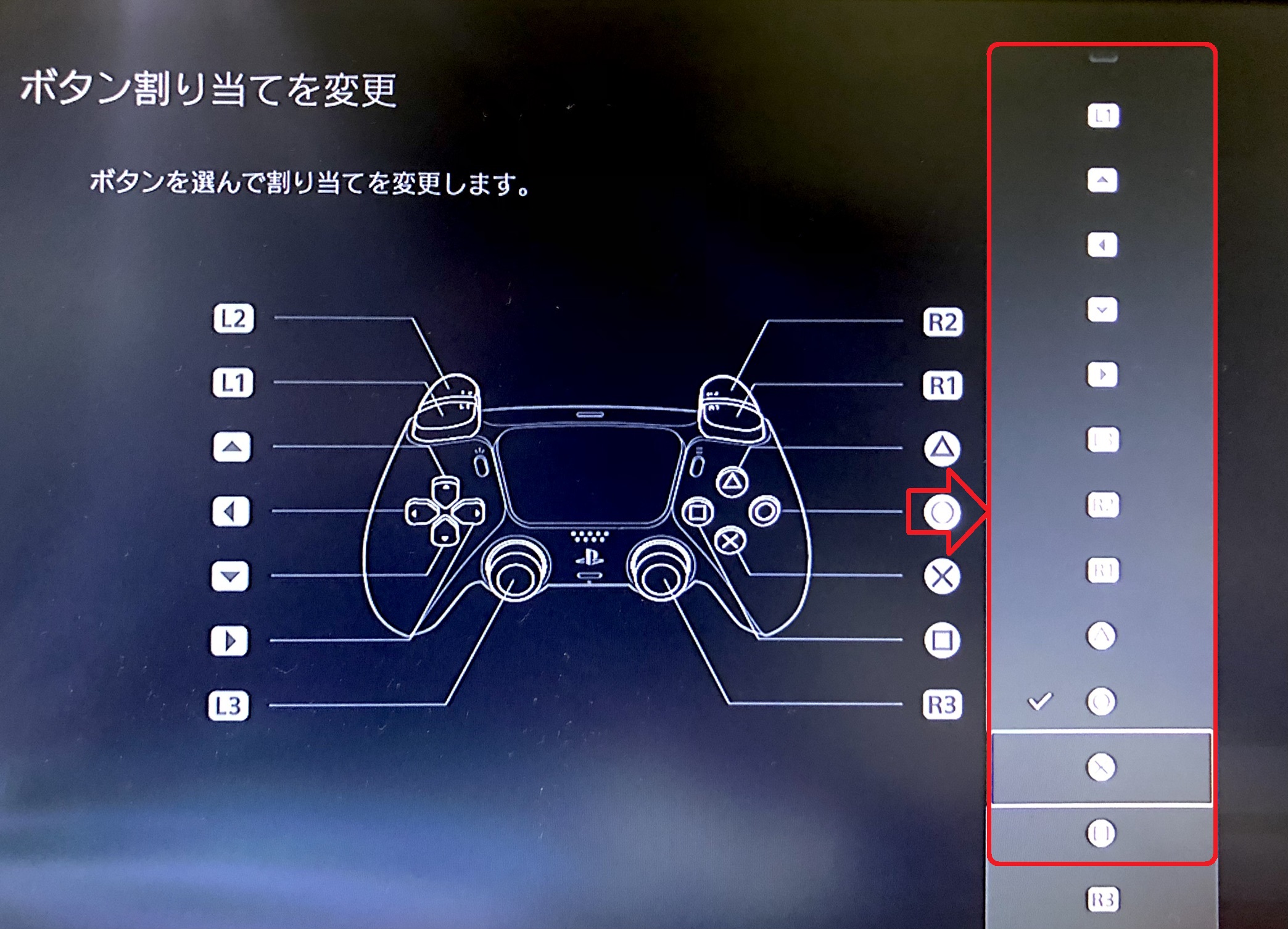
4. 「ボタン割り当てをカスタマイズ」を開き、○ボタンの割り当て先を「×」、×ボタンの割り当て先を「○」に相互入れ替えする

このアクセシビリティカスタムボタン機能を使えば、PS4時代と寸分違わぬ操作感を再現できます。PS4を使用している場合も同様に、「設定」>「アクセシビリティ」>「ボタン割り当て」からPS4キーコンフィグ設定を有効化することで、デュアルショック4ボタン設定の書き換えが可能です。

ただし、この設定には注意点があります。本体システムレベルで入力を入れ替えるため、ゲーム画面上に表示されるガイド表記(例:「×ボタンを押して調べる」)と実際に押すべき物理ボタン(○ボタン)に視覚的なズレが生じます。画面のナビゲーションを瞬時に読み解く必要があるクイックタイムイベント(QTE)などでは混乱を招く恐れがあるため、自身のプレイスタイルに合わせて適用を判断してください。

【勝率アップ】FPS・アクション向けおすすめボタン配置と「モンハン持ち」の現在地

シューター系ゲームや高難度アクションにおいて、勝敗を分ける決定的な要素が「右スティックから親指を離す時間の短縮」です。視点移動とエイムを行いながらジャンプやリロード、しゃがみ操作を同時にこなすため、FPSおすすめボタン配置の構築は上達への必須条件といえます。

代表的な配置が「バンパージャンパー」と呼ばれる構成です。通常は×ボタンに割り当てられているジャンプを「L1」または「L2」へ移し、しゃがみやスライディングを「R3(右スティック押し込み)」へ設定します。これにより、両手の親指を左右のスティックに常時置いたまま、跳躍しながらの射撃(ジャンプ撃ち)やスライディング移動がスムーズに繰り出せるようになります。

また、かつて『モンスターハンター ポータブル』シリーズで一世を風靡したモンハン持ち操作方法(人差し指を器用に曲げて十字キーを操作し、親指で左スティックを倒すフォーム)は、ターゲットカメラの普及やコントローラーの大型化によって主流から外れつつあります。人差し指を過度に酷使する持ち方は関節への負担が大きく、現代のゲームスピードにおいて長時間の維持は推奨されません。現代のプレイヤーは持ち方を無理に変えるのではなく、後述するプロコントローラーやソフトウェア側のリマップを賢く活用するアプローチへシフトしています。

【DualSense Edge徹底活用】背面ボタン割り当てとプロファイル切り替えの真価

操作性の向上をハードウェアレベルで極限まで追求するなら、ソニー純正のハイエンドモデル「DualSense Edge」の導入が圧倒的な近道です。最大の強みは、グリップ背面にマグネットで装着できる2基の追加パドル(ハーフドーム/レバー型)にあります。

DualSense背面ボタン割り当てを活用すれば、×ボタン(ジャンプ)や□ボタン(リロード・インタラクト)を背面のパドルにそのまま設定可能です。これによって、親指をスティックから1ミリも浮かすことなく、あらゆる主要アクションを完結させられます。押し心地やストロークの深さも精密に調整できるため、誤入力を防ぎつつ極めて直感的なプレイが実現します。

さらにDualSenseEdgeプロファイル設定の利便性も見逃せません。コントローラー本体に複数のキーマッピングやスティックのデッドゾーン、感度曲線を保存でき、アナログスティック下に搭載された「Fn(ファンクション)ボタン」を押しながら各ボタンをワンタッチするだけで、ゲーム起動中でも一瞬で設定を切り替えられます。「FPS用」「格闘ゲーム用」「RPGの探索用」といったプロファイルを自在に使い分ける運用は、一度体験すると標準コントローラーへ戻れなくなるほどの快適さをもたらします。

【PC/Steam連携】PC版プレステコントローラー設定とキーマップ最適化の極意

近年ではSteamをはじめとするPCゲーム市場の拡大により、DualSenseやDUALSHOCK 4をPCに接続して楽しむユーザーが急増しています。PC環境におけるプレステコントローラーの挙動制御には、プラットフォーム特有のノウハウが必要です。

Steam環境では、クライアントに標準実装されている「Steam入力」が極めて優秀な役割を果たします。Steamボタン配置カスタムを構築する場合、Steamの「設定」>「コントローラー」からPlayStationコントローラーのサポートを有効化するだけで、ゲームごとの完全なキー再マッピングが可能になります。コミュニティメンバーが作成した人気プリセットをワンクリックでダウンロードして即座に試せる点も、PC環境ならではの大きなアドバンテージです。

PC版プレステコントローラー設定で頭を悩ませがちなのが、「有線接続とBluetooth(無線)接続による機能差」です。DualSenseの真骨頂である「アダプティブトリガー」や「ハプティックフィードバック」の精緻な触覚体験をPC上でフル活用するには、USBケーブルによる有線接続が指定されているタイトルが依然として主流を占めます。無線接続時は通常の振動のみに制限される場合があるため、没入感を最優先したいタイトルでは高品質なType-Cケーブルでの有線接続を強く推奨します。

【プレステコントローラーボタン配置】に関するよくある質問(FAQ)

Q1:PS5で○ボタン決定に戻すとゲーム内の画面UI表示はどうなりますか?
A1:本体のアクセシビリティ機能で○と×を入れ替えた場合、画面上のUI表示は連動して書き換わりません。画面に「× 決定」と表示されていても物理的には○ボタンを押す必要が生じるため、視覚的な表記と指の動きの不一致に慣れるまで一定の練習が必要です。

Q2:初代PSから使われている「モンハン持ち」は2026年の今でも有効ですか?
A2:現在でも一部の猛者が採用していますが、手首や指の関節にかかるバイオメカニクス的な負荷が高いため積極的な推奨はされません。背面ボタン付きコントローラーの普及やボタン配置変更の自由度が高まった現在では、リマップ機能やパドル操作を活用するほうが遥かに安全かつ高精度な入力を維持できます。

Q3:PC(Steam)でDualSenseを使う際、○×のボタン表示がXbox(A/B)になってしまう場合の対処法は?
A3:多くのPCゲームはXboxコントローラー(XInput)を基準に開発されているため、Steam入力を経由すると自動的にA/B/X/Y表記に変換されるケースがあります。ゲーム側の設定メニュー内に「コントローラーアイコンの変更(PlayStation形式)」が用意されているか確認するか、ゲームがDualSenseのネイティブ入力をサポートしている場合はあえてSteam入力を無効化して直接有線接続することで、○×□△表記へ正常に切り替わります。

まとめ:プレイスタイルに合わせたコントローラー設定で新次元のゲーム体験を

プレイステーションのボタン配置は、単なる操作の割り振りに留まらず、ゲームカルチャーの変遷やグローバル基準への適応、そして人間工学の進化が複雑に絡み合った奥深い領域です。○×逆転の背景を正しく理解し、自身の指の長さやプレイスタイルに応じたキーマップを導き出すことは、ゲームの没入感とパフォーマンスを根本から引き上げてくれます。

本体のアクセシビリティ設定を活かしたクラシックな操作体系の再現から、DualSense Edgeを駆使した無駄のないプロセッティング、Steam環境での自由なマッピングまで、プレイヤーに与えられた選択肢はかつてないほど豊かです。指先に余計なストレスを感じているなら、今こそ設定メニューを開き、自分だけの「最強のボタン配置」を完成させてみてください。 (出典: プレステコントローラーボタン配置(Yahoo!ニュース))
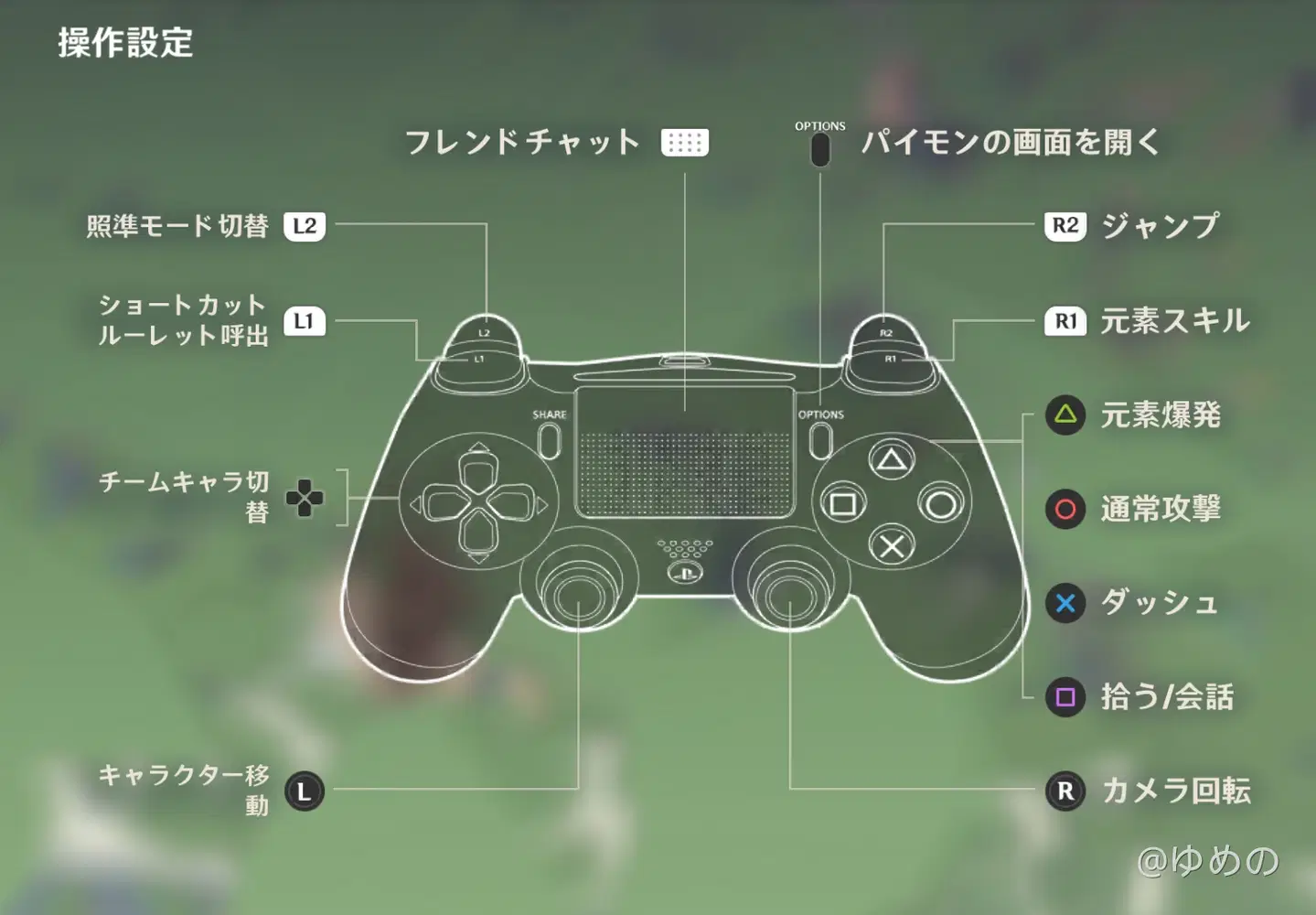
プレステコントローラーボタン配置
プレステコントローラーボタン配置
プレステコントローラーボタン配置